Microsoft Dynamics, a powerful tool for businesses, offers a comprehensive solution to enhance efficiency and productivity. Let’s delve into the intricacies of this versatile platform.
Overview of Microsoft Dynamics
Microsoft Dynamics is a line of enterprise resource planning (ERP) and customer relationship management (CRM) software applications developed by Microsoft. It has a rich history dating back to the early 2000s when it was first introduced as a solution for businesses looking to streamline their operations and improve customer relationships.


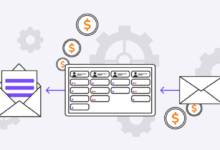
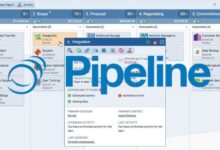


The primary features and functionalities of Microsoft Dynamics include financial management, supply chain management, human resource management, sales and marketing automation, and customer service capabilities. It is designed to help organizations of all sizes manage their core business processes more efficiently and effectively.
Modules Available within Microsoft Dynamics
Microsoft Dynamics offers a range of modules to cater to different business needs. Some of the key modules available include:
– Dynamics 365 Finance
– Dynamics 365 Supply Chain Management
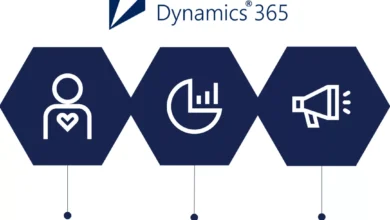
– Dynamics 365 Sales
– Dynamics 365 Customer Service
– Dynamics 365 Marketing
Each module is designed to address specific aspects of a business’s operations, providing a comprehensive solution for various departments within an organization.
Target Audience and Industries
Microsoft Dynamics is ideal for industries such as manufacturing, retail, healthcare, professional services, and financial services. It caters to businesses looking to improve their operational efficiency, enhance customer relationships, and drive growth through data-driven insights and automation.
Microsoft Dynamics Products
Microsoft offers a range of products under the Microsoft Dynamics umbrella, each tailored to meet specific business needs and requirements. These products are designed to help organizations streamline their operations, improve efficiency, and drive growth.
Microsoft Dynamics 365
Microsoft Dynamics 365 is a cloud-based solution that combines CRM and ERP capabilities into one integrated platform. It offers modules for sales, customer service, field service, finance, operations, and more. Organizations can choose the specific modules that align with their business processes, making it a flexible and scalable solution.
Microsoft Dynamics GP
Microsoft Dynamics GP, formerly known as Great Plains, is an ERP solution designed for small and medium-sized businesses. It offers functionalities for financial management, supply chain management, human resources, and more. Microsoft Dynamics GP is known for its ease of use and quick implementation, making it a popular choice for SMBs.
Microsoft Dynamics NAV
Microsoft Dynamics NAV, now known as Dynamics 365 Business Central, is an ERP solution aimed at small and medium-sized businesses. It offers features for finance, sales, purchasing, inventory management, and more. Dynamics NAV is known for its flexibility and ability to adapt to changing business needs.
These Microsoft Dynamics products are used by organizations across various industries to streamline their operations. For example, a manufacturing company may use Microsoft Dynamics 365 for Operations to manage their production processes, while a retail organization may utilize Microsoft Dynamics GP for financial management and inventory control. By leveraging these products, businesses can improve efficiency, enhance productivity, and achieve their growth objectives.
Implementation of Microsoft Dynamics
Implementing Microsoft Dynamics within an organization involves a series of steps to ensure a successful deployment. Consultants or experts play a crucial role in guiding the implementation process and overcoming challenges that may arise.
Typical Steps in Implementing Microsoft Dynamics:
- Planning and Assessment: This initial phase involves understanding the organization’s requirements, setting goals, and assessing the existing systems to determine the scope of the implementation.
- Configuration and Customization: Consultants work on configuring the Microsoft Dynamics software to align with the organization’s specific needs. Customizations may include workflows, data migration, and integrations with other systems.
- Training and Testing: End-users receive training on using the new system, and thorough testing is conducted to ensure functionality and data accuracy.
- Go-live and Support: The system is launched for regular use, and consultants provide ongoing support to address any issues and optimize performance.
Role of Consultants in Deploying Microsoft Dynamics:
- Consultants bring expertise in implementing Microsoft Dynamics and can provide guidance based on best practices and industry knowledge.
- They facilitate smooth communication between stakeholders, manage project timelines, and ensure that the implementation meets the organization’s objectives.
- Consultants also offer training and support to help users adapt to the new system and maximize its benefits.
Common Challenges and Solutions in Implementation:
- Resistance to Change: Employees may resist adopting new technology. Clear communication, training, and support can help overcome resistance and foster acceptance.
- Data Migration Issues: Ensuring data accuracy and consistency during migration is crucial. Thorough testing and validation processes can help mitigate data migration challenges.
- Integration Complexity: Integrating Microsoft Dynamics with existing systems can be complex. Consultants can provide expertise in seamless integration and data synchronization.
- Scope Creep: Scope creep, where the project expands beyond its initial objectives, can be managed through effective project management and regular stakeholder communication.
Customization and Integration
When it comes to customizing and integrating Microsoft Dynamics, businesses have the flexibility to tailor the software to meet their specific needs and integrate it seamlessly with other applications to enhance functionality.
Customization Process
- Identify business requirements: The first step in customizing Microsoft Dynamics is to identify the specific needs and objectives of the business.
- Configuration and customization: Once the requirements are identified, the software can be configured and customized to align with the unique processes of the business.
- Testing and validation: It is crucial to thoroughly test the customized solution to ensure it functions as intended and meets the desired outcomes.
- Training and support: Providing training to users and ongoing support is essential to ensure a smooth transition and optimal usage of the customized software.
Integration with Third-Party Applications
- Integration with Office 365: Microsoft Dynamics can be seamlessly integrated with Office 365, allowing for improved collaboration and communication within the organization.
- Integration with Power BI: By integrating Microsoft Dynamics with Power BI, businesses can gain valuable insights through data visualization and analytics.
- Integration with eCommerce platforms: Integrating Microsoft Dynamics with eCommerce platforms enables businesses to streamline order processing and inventory management.
Best Practices for Integration
- Define integration goals: Clearly define the objectives of the integration to ensure alignment with business goals.
- Choose the right integration tools: Selecting the appropriate integration tools and technologies is crucial for a successful integration process.
- Establish data governance policies: Implementing data governance policies helps maintain data integrity and security during the integration process.
- Regular monitoring and maintenance: Continuous monitoring and maintenance of the integrated systems are essential to address any issues and ensure smooth operation.
Benefits of Using Microsoft Dynamics
Microsoft Dynamics offers a wide range of benefits for businesses looking to streamline their operations, enhance customer relationships, and drive growth. By leveraging this powerful platform, organizations can achieve improved efficiency, productivity, and overall success.
Enhanced Customer Relationship Management
- Microsoft Dynamics provides a centralized system for managing customer interactions, enabling businesses to deliver personalized experiences and build stronger relationships.
- By tracking customer data and preferences, organizations can tailor their marketing strategies and improve customer satisfaction, leading to increased loyalty and retention.
- Case Study: Company X implemented Microsoft Dynamics CRM and saw a 20% increase in customer retention rates within the first year.
Improved Operational Efficiency
- With Microsoft Dynamics, businesses can automate repetitive tasks, streamline processes, and eliminate manual errors, resulting in cost savings and increased productivity.
- The platform offers real-time insights and analytics, allowing organizations to make data-driven decisions and optimize their operations for maximum efficiency.
- Case Study: Organization Y reduced its order processing time by 30% after implementing Microsoft Dynamics ERP, leading to improved efficiency and faster time-to-market.
Scalability and Flexibility
- Microsoft Dynamics is highly scalable and can be customized to meet the specific needs of businesses of all sizes and industries, allowing for seamless growth and expansion.
- Organizations can easily adapt the platform to changing market conditions and business requirements, ensuring long-term sustainability and success.
- Case Study: Startup Z experienced rapid growth and was able to scale its operations effectively by leveraging Microsoft Dynamics 365 Business Central, supporting its expansion into new markets.
Training and Support
Training employees on how to effectively use Microsoft Dynamics is crucial for maximizing the benefits of this powerful software solution. Proper training ensures that employees are equipped with the necessary skills and knowledge to leverage the full potential of Microsoft Dynamics, leading to increased productivity and efficiency in business operations.
Training Resources for Microsoft Dynamics Users
- Microsoft Learning: Microsoft offers a range of training courses, certifications, and learning paths specifically designed for Microsoft Dynamics users. These resources cover various aspects of Microsoft Dynamics, from basic functionalities to advanced features.
- Online Training Modules: Users can access online training modules, tutorials, and webinars provided by Microsoft and third-party training providers. These resources allow users to learn at their own pace and convenience.
- User Guides and Documentation: Microsoft provides detailed user guides, manuals, and documentation to help users navigate and utilize Microsoft Dynamics effectively. These resources serve as valuable references for users seeking assistance or clarification on specific features.
Role of Customer Support in Ensuring a Smooth Experience
- Technical Assistance: Customer support plays a vital role in providing technical assistance and troubleshooting solutions to Microsoft Dynamics users. Whether users encounter technical issues or require guidance on using specific features, customer support teams are available to address their concerns promptly.
- Continuous Support: Customer support ensures that users receive ongoing support and guidance throughout their experience with Microsoft Dynamics. This includes assistance with software updates, bug fixes, and general inquiries to enhance user satisfaction and experience.
- Training and Consultation: In addition to technical support, customer support teams offer training sessions and consultation services to help users optimize their use of Microsoft Dynamics. These sessions aim to improve user proficiency and maximize the software’s capabilities within the organization.
Security and Compliance
In today’s digital landscape, ensuring the security and compliance of sensitive data is paramount for organizations. Microsoft Dynamics offers robust features to safeguard data and meet regulatory requirements.
Security Features in Microsoft Dynamics
- Role-based security: Microsoft Dynamics allows organizations to assign specific roles to users, ensuring that access to sensitive data is restricted based on job responsibilities.
- Data encryption: The platform encrypts data both at rest and in transit, adding an extra layer of protection against unauthorized access.
- Auditing and tracking: Microsoft Dynamics enables organizations to track user activity, changes to records, and system access, providing transparency and accountability.
- Multi-factor authentication: By implementing multi-factor authentication, organizations can enhance security by requiring additional verification steps for user logins.
Compliance Requirements for Organizations
- GDPR compliance: Organizations operating in the European Union must adhere to the General Data Protection Regulation (GDPR) to protect personal data and ensure privacy rights.
- HIPAA compliance: Healthcare organizations in the United States need to comply with the Health Insurance Portability and Accountability Act (HIPAA) to safeguard patient health information.
- SOX compliance: Companies subject to the Sarbanes-Oxley Act must follow regulations related to financial reporting and internal controls to prevent fraud and ensure accuracy.
Enhancing Security Measures in Microsoft Dynamics
- Regular security assessments: Conducting periodic security assessments helps identify vulnerabilities and implement necessary safeguards to protect data.
- Employee training: Educating users on best practices for data security and privacy can help prevent data breaches caused by human error.
- Implementing data loss prevention policies: Setting up policies to monitor and prevent the unauthorized sharing of sensitive data adds an extra layer of security.
- Keeping software up to date: Regularly updating Microsoft Dynamics and related software ensures that security patches are applied to address known vulnerabilities.
Future Trends in Microsoft Dynamics
As technology continues to advance at a rapid pace, Microsoft Dynamics is also evolving to meet the changing needs of businesses. In this section, we will explore some of the emerging trends in the Microsoft Dynamics ecosystem and discuss how they are shaping the future of ERP and CRM systems.
AI Integration in Microsoft Dynamics
Artificial Intelligence (AI) is becoming increasingly integrated into Microsoft Dynamics solutions, enabling businesses to automate tasks, make data-driven decisions, and improve customer experiences. With AI capabilities such as predictive analytics and machine learning, Microsoft Dynamics is poised to enhance efficiency and productivity in various business processes.
IoT Capabilities in Microsoft Dynamics
The Internet of Things (IoT) is revolutionizing the way businesses collect and analyze data. Microsoft Dynamics is embracing IoT capabilities to enable real-time monitoring, predictive maintenance, and proactive decision-making. By leveraging IoT technologies, businesses can gain valuable insights and optimize their operations.
Cloud-Based Solutions in Microsoft Dynamics
Cloud computing has become integral to modern business operations, and Microsoft Dynamics is no exception. Cloud-based solutions offer scalability, flexibility, and accessibility, allowing businesses to streamline processes, reduce costs, and improve collaboration. As cloud technology continues to advance, Microsoft Dynamics is expected to further enhance its cloud-based offerings.
Cost Considerations
When it comes to implementing and maintaining Microsoft Dynamics, understanding the cost structure is crucial for businesses. From initial setup to ongoing support and customization, various factors contribute to the overall expenses. Here, we will break down the cost structure associated with Microsoft Dynamics, compare pricing models of different products, and provide tips on optimizing costs while leveraging the full potential of this powerful platform.
Cost Structure Breakdown
- License Fees: Microsoft Dynamics offers different licensing options, such as user-based or module-based pricing. Organizations need to carefully evaluate their requirements and choose the most cost-effective licensing model.
- Implementation Costs: Initial setup, configuration, data migration, and training all contribute to the implementation costs. Working with experienced consultants can help streamline the process and reduce implementation expenses.
- Customization and Integration: Tailoring Microsoft Dynamics to specific business needs and integrating it with existing systems can incur additional costs. Businesses should prioritize customization efforts based on ROI and long-term benefits.
Pricing Models Comparison
- Microsoft Dynamics 365: This cloud-based solution offers flexible pricing based on the number of users and required functionalities. Subscription-based pricing allows businesses to scale up or down based on their needs.
- Dynamics GP, NAV, and SL: On-premises solutions like GP, NAV, and SL have different pricing models based on user licenses and modules. These products may require upfront investments but offer long-term cost savings.
Optimizing Costs Tips
- Regular Review: Periodically review your Microsoft Dynamics usage to identify underutilized features and optimize your subscription to avoid unnecessary expenses.
- Training and Support: Investing in training for your team can enhance productivity and reduce support costs in the long run. Encourage self-service resources to minimize external support requirements.
- Scalability Planning: Consider future growth and scalability when selecting Microsoft Dynamics products and customization options to avoid costly rework in the future.
Final Conclusion
In conclusion, Microsoft Dynamics stands as a transformative force in modern business operations, driving growth and success through its robust features and functionalities. Embrace the future of business management with Microsoft Dynamics.

Hi, I’m Lauren. As a digital enthusiast and storyteller, I love breaking down complex ideas into easy-to-read articles. My goal is to provide readers with fresh perspectives and helpful solutions through every piece I write.