CRM for small business is crucial in improving customer relationships. Small businesses can leverage CRM software to streamline processes and enhance communication. Let’s delve into the world of CRM solutions tailored for small businesses.
Introduction to CRM for Small Business
CRM stands for Customer Relationship Management, and it plays a crucial role in helping small businesses build and maintain strong relationships with their customers. By leveraging CRM software, small businesses can streamline their customer interactions, enhance communication, and ultimately drive growth.

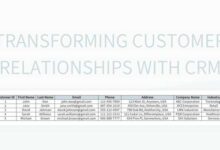
How CRM Software Helps Small Businesses Improve Customer Relationships
CRM software provides small businesses with a centralized platform to store customer information, track interactions, and manage sales pipelines. This enables businesses to personalize their communication with customers, anticipate their needs, and deliver exceptional service.
- Efficient Customer Data Management: CRM software allows small businesses to organize and access customer data easily, including contact information, purchase history, preferences, and communication logs.
- Enhanced Communication: Small businesses can use CRM software to send personalized messages, follow up on leads, and provide timely responses to customer inquiries, leading to improved customer satisfaction.
- Sales Pipeline Management: CRM software helps small businesses track the progress of leads and deals, identify potential sales opportunities, and optimize their sales processes for better conversion rates.
Popular CRM Software Options Suitable for Small Businesses
There are several CRM software options tailored to meet the needs of small businesses. Some popular choices include:
- HubSpot CRM: A user-friendly platform that offers contact management, email tracking, and deal tracking features for small businesses.
- Zoho CRM: An affordable solution that provides lead management, sales automation, and analytics tools to help small businesses streamline their customer interactions.
- Salesforce Essentials: A scalable CRM solution designed for small businesses, offering customizable dashboards, contact management, and mobile access for on-the-go business owners.
Benefits of Implementing CRM for Small Business
Implementing a Customer Relationship Management (CRM) system can bring numerous benefits to small businesses, helping them streamline sales and marketing processes, enhance customer communication and engagement, and improve customer retention.
Streamlining Sales and Marketing Processes
- CRM systems can automate various tasks such as lead management, email marketing, and sales tracking, allowing small businesses to focus on building relationships and closing deals.
- By centralizing customer data and interactions in one place, CRM tools enable small businesses to have a 360-degree view of their customers, helping them personalize marketing efforts and target the right audience more effectively.
Enhancing Customer Communication and Engagement
- CRM software enables small businesses to communicate with customers across multiple channels, including email, phone, and social media, ensuring consistent and personalized interactions.
- With CRM tools, small businesses can track customer preferences, behaviors, and interactions, allowing them to tailor their communication and engagement strategies to meet individual customer needs and preferences.
Improving Customer Retention
- CRM systems help small businesses track customer interactions and history, enabling them to provide timely and relevant support, address customer issues proactively, and build long-lasting relationships.
- By analyzing customer data and feedback collected through CRM software, small businesses can identify trends, anticipate customer needs, and offer personalized solutions, ultimately leading to improved customer satisfaction and loyalty.
Features to Look for in CRM Software for Small Business
When selecting CRM software for a small business, it is crucial to consider specific features that can help streamline operations and enhance customer relationships. Here are some essential features to look for:
Contact Management
Contact management is a fundamental feature of CRM software that allows businesses to store and organize customer information in one centralized database. This feature enables easy access to customer details, communication history, and interactions, ensuring personalized customer service and efficient follow-ups.
Lead Tracking
Lead tracking functionality in CRM software helps small businesses monitor and manage potential customers throughout the sales pipeline. By tracking leads from initial contact to conversion, businesses can prioritize follow-ups, identify sales opportunities, and improve conversion rates.
Email Integration
Email integration is another crucial feature to consider in CRM software for small businesses. This feature allows seamless synchronization of email communications with customer profiles, enabling efficient communication management, tracking of interactions, and automation of email campaigns.
Customization Options
Customization options in CRM software are essential for small businesses to tailor the system to their specific needs and workflows. The ability to customize fields, layouts, reports, and dashboards ensures that the CRM software aligns with the unique requirements of the business, enhancing usability and productivity.
Scalability
Scalability is an important factor to consider when choosing CRM software for a small business. A scalable CRM system can grow along with the business, accommodating an increasing volume of data, users, and functionalities. This scalability ensures that the CRM software remains effective and relevant as the business expands and evolves.
Implementing CRM in Small Business Operations
Integrating CRM software into small business operations can significantly improve efficiency and customer relations. Proper implementation is key to maximizing the benefits of CRM. Here are some steps to help you seamlessly integrate CRM into your existing business processes:
Training Options for Employees
Providing adequate training for employees is essential to ensure effective utilization of CRM software. Consider the following training options:
- Online tutorials and webinars to familiarize employees with the CRM system.
- Hands-on training sessions to practice using the CRM software in real-world scenarios.
- Regular workshops and refresher courses to keep employees updated on new features and best practices.
Setting Up and Configuring CRM Software
Configuring CRM software to suit the specific needs of your small business is crucial for success. Here are some tips on how to set up and configure CRM software effectively:
- Define your business goals and objectives to align the CRM system with your organization’s needs.
- Customize CRM fields and workflows to match your business processes and data requirements.
- Integrate CRM with other tools and platforms used in your business for seamless data flow and communication.
- Regularly review and update CRM configurations to adapt to changing business needs and maximize efficiency.
Using CRM Data for Small Business Growth
Small businesses can harness the power of CRM data to drive targeted marketing campaigns and fuel growth. By analyzing customer information and interactions, businesses can personalize their marketing efforts and enhance customer relationships.
Leveraging CRM Data for Targeted Marketing Campaigns
Utilizing CRM data allows small businesses to create highly targeted marketing campaigns that resonate with their specific audience. By segmenting customers based on their preferences, purchase history, and behavior, businesses can tailor their messaging to meet the individual needs of each customer.
- Personalized Email Campaigns: Sending personalized emails based on CRM data can significantly increase engagement and conversion rates. By addressing customers by name and recommending products based on their purchase history, businesses can create a more personalized experience.
- Targeted Advertising: Using CRM data to create custom audiences for online advertising can help small businesses reach the right customers with the right message. By targeting specific demographics or behaviors, businesses can optimize their ad spend and improve ROI.
- Cross-Selling and Upselling Opportunities: CRM data can identify opportunities for cross-selling or upselling to existing customers. By analyzing purchase patterns and customer preferences, businesses can recommend complementary products or upgrades, increasing revenue per customer.
Role of Analytics in Interpreting CRM Data
Analyzing CRM data with the help of advanced analytics tools can provide valuable insights for making informed business decisions. By tracking key performance indicators (KPIs) and trends, businesses can identify opportunities for growth and optimize their operations.
“Analytics is the key to unlocking the full potential of CRM data. By leveraging data analytics tools, small businesses can gain actionable insights that drive strategic decision-making.”
- Identifying Customer Trends: Analyzing CRM data can reveal patterns in customer behavior, preferences, and engagement. By understanding these trends, businesses can tailor their marketing strategies and product offerings to better meet customer needs.
- Forecasting Sales and Revenue: By analyzing historical CRM data and trends, businesses can forecast sales and revenue projections with greater accuracy. This allows businesses to set realistic goals and allocate resources effectively.
- Optimizing Marketing ROI: Analytics can help small businesses measure the effectiveness of their marketing campaigns and channels. By tracking metrics such as customer acquisition cost and lifetime value, businesses can optimize their marketing spend and improve ROI.
Successful Strategies with CRM Data for Business Growth
Many small companies have successfully leveraged CRM data to drive business growth and achieve their goals. By implementing strategic initiatives based on CRM insights, these companies have been able to enhance customer relationships, increase sales, and improve operational efficiency.
- Case Study 1: A small e-commerce store used CRM data to personalize email marketing campaigns and saw a 20% increase in conversion rates.
- Case Study 2: A local service business analyzed CRM data to identify upselling opportunities and increased their average order value by 15%.
- Case Study 3: A software startup used CRM analytics to forecast sales trends and secure additional funding for expansion.
Integrating CRM with Other Business Tools
Integrating CRM software with accounting or project management tools can bring numerous benefits to small businesses. By combining these systems, companies can streamline processes, improve data accuracy, and enhance overall efficiency.
Benefits of Integration
- Improved Data Accuracy: Integrating CRM with accounting or project management tools ensures that information is consistent across all platforms, reducing errors and duplication.
- Enhanced Communication: Integrated systems allow for seamless data sharing between departments, enabling better collaboration and communication within the organization.
- Increased Efficiency: By automating tasks and workflows through integration, businesses can save time and resources, leading to improved productivity.
Tips for Seamless Integration
- Choose Compatible Systems: Make sure that the CRM software you choose is compatible with your existing accounting or project management tools to facilitate smooth integration.
- Define Integration Goals: Clearly outline your integration objectives and requirements to ensure that the process meets your business needs and goals.
- Train Employees: Provide training to employees on how to use the integrated systems effectively to maximize the benefits of the integration.
Examples of Improved Efficiency
- Automated Invoicing: Integrating CRM with accounting software can automate the invoicing process, reducing manual errors and accelerating payment cycles.
- Project Tracking: By integrating CRM with project management tools, businesses can track project progress, allocate resources efficiently, and meet deadlines effectively.
- Customer Insights: Integrated systems can provide valuable customer insights by combining data from CRM, accounting, and project management tools, enabling personalized and targeted marketing strategies.
Mobile CRM Solutions for Small Businesses
Mobile CRM solutions offer small business owners the flexibility and convenience to manage customer relationships on-the-go. With the increasing reliance on smartphones and tablets, mobile CRM apps have become essential tools for staying connected with customers and prospects anytime, anywhere.
Advantages of Using Mobile CRM Apps
- Access to real-time customer data: Mobile CRM solutions allow small business owners to access important customer information on their mobile devices, enabling them to make informed decisions and provide personalized service on the spot.
- Enhanced productivity: By having access to CRM data on their mobile devices, business owners can respond to customer inquiries, update records, and manage tasks efficiently, even when away from the office.
- Improved customer service: With mobile CRM apps, small business owners can stay connected with customers through calls, emails, and messages, ensuring timely responses and building stronger relationships.
- Increased sales opportunities: Mobile CRM solutions enable business owners to track sales activities, follow up on leads, and manage deals on-the-go, helping them close more deals and drive revenue growth.
Key Features of Mobile CRM Solutions for Small Businesses
- Offline access: Look for a mobile CRM solution that offers offline access to customer data, allowing business owners to work even in areas with poor or no internet connectivity.
- Integration with other apps: Choose a mobile CRM app that integrates seamlessly with other business tools such as email, calendar, and project management apps for a more streamlined workflow.
- Customization options: Opt for a mobile CRM solution that allows customization of fields, layouts, and reports to align with your specific business needs and processes.
- Security features: Ensure that the mobile CRM app provides robust security measures to protect sensitive customer data and comply with data privacy regulations.
Enhancing Productivity and Customer Service with Mobile CRM Solutions
Mobile CRM solutions play a crucial role in enhancing productivity and customer service for small businesses by providing easy access to customer data, enabling quick responses, and facilitating seamless communication with customers. By leveraging the power of mobile CRM apps, small business owners can stay agile, competitive, and responsive in today’s fast-paced business environment.
CRM Security Measures for Small Businesses
Implementing robust security measures in CRM systems is crucial for small businesses to protect sensitive customer data and maintain trust. Here are some essential tips and best practices to ensure data security and compliance:
Importance of Data Security in CRM Systems
- Encrypt sensitive data: Utilize encryption techniques to protect customer information stored in CRM databases, ensuring unauthorized access is prevented.
- Implement access controls: Set up role-based access controls to limit the data access to authorized personnel only.
- Regularly update software: Keep CRM software up to date with the latest security patches to address vulnerabilities and reduce the risk of data breaches.
Tips for Securing Sensitive Customer Information
- Train employees on data security: Educate staff on the importance of safeguarding customer data and provide guidelines on handling sensitive information.
- Use strong passwords: Enforce the use of complex passwords and enable multi-factor authentication to add an extra layer of security.
- Backup data regularly: Implement automated backup processes to ensure data recovery in case of system failures or cyber attacks.
Best Practices for Ensuring Data Privacy and Compliance
- Comply with regulations: Stay informed about data protection laws and regulations relevant to your industry to ensure compliance and avoid penalties.
- Conduct security audits: Regularly assess the security measures in place, conduct penetration testing, and address any vulnerabilities identified.
- Monitor user activity: Track and log user actions within the CRM system to detect unauthorized access or suspicious behavior.
Cost Considerations for Small Business CRM Implementation
Implementing a Customer Relationship Management (CRM) system is essential for small businesses to streamline operations and improve customer relationships. However, cost considerations play a crucial role in the decision-making process. Let’s delve into the various aspects of cost when it comes to CRM implementation for small businesses.
Pricing Models of CRM Software Options
- Subscription-based: Pay a monthly or annual fee per user.
- Perpetual license: Make a one-time payment for the software.
- Free: Some CRM solutions offer basic features for free, with the option to upgrade for advanced functionality.
When selecting a CRM software for your small business, it’s important to consider the pricing models offered by different providers. Here are some common pricing models:
Cost-Effective Implementation Strategies
- Start with a pilot project: Test the CRM software with a small team before rolling it out company-wide.
- Focus on essential features: Prioritize the features that align with your business goals to avoid overspending on unnecessary functionalities.
- Consider open-source CRM: Explore open-source CRM options that offer flexibility and cost savings.
Implementing a CRM system doesn’t have to break the bank. Here are some cost-effective ways to integrate CRM into your small business:
Evaluating ROI of CRM Software
- Track key metrics: Monitor metrics like customer acquisition cost, customer lifetime value, and sales conversion rates to assess the impact of CRM on your business.
- Solicit feedback: Gather feedback from employees and customers to understand the benefits and areas of improvement in CRM implementation.
- Compare before and after: Compare business performance before and after CRM implementation to quantify the benefits.
Measuring the return on investment (ROI) of your CRM software is crucial to justify the expenditure. Here are some tips to evaluate the ROI:
Customer Support and Training for Small Business CRM Users
Reliable customer support and effective training are crucial components when implementing CRM software for small businesses. These elements ensure that employees can utilize the CRM system to its full potential, leading to improved customer relationships and overall business success.
Importance of Reliable Customer Support
Having reliable customer support in place is essential for small businesses utilizing CRM software. It allows users to seek assistance whenever they encounter issues or have questions about the system. Prompt and knowledgeable support can help resolve issues quickly, minimizing downtime and maximizing productivity.
Training Resources for Small Business Employees
Small business employees may require training to effectively use CRM systems. Training resources such as online tutorials, user manuals, and in-person training sessions can help employees familiarize themselves with the software functionalities. Ongoing training ensures that employees stay updated on new features and best practices.
Best Practices for Ongoing Support and Training
- Provide regular refresher training sessions to reinforce CRM system knowledge and address any user concerns.
- Create a dedicated support team or contact person within the organization to assist with CRM-related queries.
- Encourage open communication among employees to share tips and best practices for using the CRM system efficiently.
- Utilize CRM vendor resources for additional training materials and support options.
Case Studies
In this section, we will explore real-life examples of small businesses that have successfully implemented CRM solutions to enhance their operations and achieve growth.
Case Study 1: ABC Clothing Boutique
ABC Clothing Boutique, a small retail store specializing in trendy apparel, implemented a CRM system to better understand customer preferences and improve marketing strategies. By customizing the CRM software to track purchase history and communication preferences, the boutique was able to personalize marketing campaigns and increase customer engagement. As a result, ABC Clothing Boutique saw a significant increase in repeat purchases and customer loyalty.
Case Study 2: XYZ Tech Solutions
XYZ Tech Solutions, a small IT consulting firm, leveraged CRM software to streamline project management and enhance client communication. By integrating project timelines, client feedback, and billing information in one centralized platform, XYZ Tech Solutions improved operational efficiency and client satisfaction. The firm also utilized CRM data analytics to identify new business opportunities and allocate resources effectively, leading to a boost in revenue and customer retention.
Case Study 3: DEF Home Services
DEF Home Services, a small family-owned business offering home repair and maintenance services, implemented a mobile CRM solution to empower field technicians and improve service delivery. By providing technicians with real-time access to customer information, service history, and scheduling updates, DEF Home Services enhanced communication and response times. The company also used CRM data to identify service trends and optimize resource allocation, resulting in improved customer satisfaction and business growth.
Closing Notes
In conclusion, implementing CRM software can revolutionize how small businesses interact with customers, leading to improved retention and growth. Embracing CRM tools is key to staying competitive in today’s market landscape.

Hi, I’m Lauren. As a digital enthusiast and storyteller, I love breaking down complex ideas into easy-to-read articles. My goal is to provide readers with fresh perspectives and helpful solutions through every piece I write.