CRM software revolutionizes how businesses manage customer relationships and streamline operations. With its wide array of features and benefits, CRM software is a game-changer in today’s competitive market.
Introduction to CRM Software
CRM software, or Customer Relationship Management software, is a tool designed to help businesses manage their interactions and relationships with both current and potential customers. The primary purpose of CRM software is to centralize customer data, streamline communication, and improve overall customer satisfaction.


There are several benefits to using CRM software for customer relationship management. Some of these benefits include:
Benefits of using CRM software
- Improved customer relationships: CRM software allows businesses to track customer interactions, preferences, and purchase history, enabling them to provide personalized service and targeted marketing campaigns.
- Increased efficiency: By automating repetitive tasks and workflows, CRM software helps businesses save time and resources, allowing them to focus on more strategic activities.
- Better data management: CRM software centralizes customer data, making it easier for teams to access and analyze information, leading to more informed decision-making.
Examples of industries that commonly use CRM software
- Retail: Retail companies use CRM software to manage customer loyalty programs, track customer preferences, and optimize inventory management.
- Financial Services: Banks and financial institutions use CRM software to personalize customer interactions, improve cross-selling opportunities, and comply with regulatory requirements.
- Real Estate: Real estate agencies use CRM software to track leads, manage property listings, and streamline the sales process.
Types of CRM Software
CRM software comes in various types to cater to different business needs and requirements. Let’s explore the different types of CRM software available in the market.
Operational CRM
Operational CRM focuses on automating and improving the customer-facing processes of a business. It includes functionalities such as sales automation, marketing automation, and service automation to streamline interactions with customers.
Analytical CRM
Analytical CRM is focused on analyzing customer data to improve business strategies and decision-making. This type of CRM software helps businesses gain insights into customer behavior, preferences, and trends to enhance marketing and sales efforts.
Collaborative CRM
Collaborative CRM emphasizes communication and collaboration with customers across various channels. It enables businesses to interact with customers through multiple touchpoints, such as email, social media, and live chat, to provide personalized and seamless customer experiences.
Cloud-based vs. On-premise CRM Solutions
Cloud-based CRM software is hosted on remote servers and accessed through the internet, offering scalability, flexibility, and cost-effectiveness. On the other hand, on-premise CRM solutions are installed and managed on the company’s own servers, providing greater control and security but requiring higher initial investments.
Popular CRM Software Options
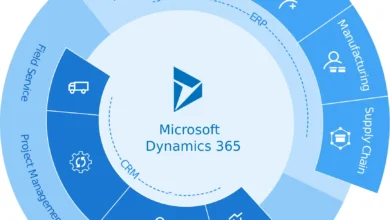
Some popular CRM software options in the market include Salesforce, HubSpot CRM, Zoho CRM, and Microsoft Dynamics 365. These platforms offer a range of features such as contact management, lead tracking, email integration, and reporting tools to help businesses effectively manage their customer relationships.
Implementation of CRM Software
Implementing CRM software within an organization involves several key steps to ensure a successful integration and adoption process.
Steps Involved in Implementing CRM Software:
- Assessing Business Needs: Before selecting a CRM software, it is essential to evaluate the specific requirements and objectives of the organization.
- Choosing the Right CRM Solution: Select a CRM software that aligns with the business goals and can cater to the unique needs of the organization.
- Training and Onboarding: Provide comprehensive training to employees on how to use the CRM software effectively to maximize its benefits.
- Data Migration: Transfer existing customer data from legacy systems to the new CRM platform without any loss or corruption.
- Customization and Configuration: Tailor the CRM software to fit the organization’s workflows and processes for seamless integration.
- Testing and Quality Assurance: Conduct thorough testing to identify and resolve any bugs or issues before fully implementing the CRM software.
- Go-Live and Support: Launch the CRM software across the organization and provide ongoing support to address any user queries or concerns.
Best Practices for Integrating CRM Software:
- Ensure Stakeholder Buy-In: Involve key stakeholders in the decision-making process and gain their support for a smooth implementation.
- Collaborate with IT Teams: Work closely with the IT department to integrate the CRM software with existing systems and databases effectively.
- Data Cleansing: Cleanse and organize customer data before migrating it to the new CRM platform to maintain data integrity.
- Regular Monitoring and Evaluation: Continuously monitor the performance of the CRM software and gather feedback from users to make necessary improvements.
Tips for Ensuring a Smooth Transition to a New CRM Software Platform:
- Communicate Effectively: Keep all employees informed about the upcoming changes and provide training sessions to prepare them for the transition.
- Set Achievable Goals: Establish clear objectives and milestones for the CRM implementation process to track progress effectively.
- Seek Feedback: Encourage feedback from users throughout the implementation process to address any issues or concerns promptly.
- Stay Flexible: Be open to making adjustments and refinements to the CRM software based on user feedback and evolving business needs.
Customization and Personalization
Customizing CRM software is crucial for businesses to meet their specific needs and requirements. By tailoring the software to align with the unique processes and workflows of a company, organizations can maximize the benefits of CRM technology and enhance overall efficiency.
CRM software enables personalized customer interactions by capturing and organizing valuable customer data. This data can be used to create tailored marketing strategies, personalized communication, and targeted campaigns that resonate with individual customers on a more personal level.
Examples of Customization Options
- Custom Fields: Businesses can create custom fields within the CRM system to capture unique data points specific to their industry or organization. For example, a real estate company may add fields for property type, square footage, or amenities.
- Workflow Automation: CRM software allows for the automation of repetitive tasks and processes, such as sending follow-up emails, assigning leads, or updating customer records. This customization can streamline operations and improve productivity.
- Integration with Third-Party Apps: Many CRM platforms offer integrations with other business tools and applications, allowing for a seamless flow of data between systems. This customization option helps businesses centralize their information and enhance overall data management.
- Role-Based Access Control: With role-based access control, organizations can customize user permissions based on job roles and responsibilities. This ensures that employees only have access to the information and functionality relevant to their specific roles, enhancing data security and confidentiality.
Data Management in CRM Software
Data management plays a crucial role in CRM software, as it involves organizing and analyzing customer data effectively to improve decision-making processes. Let’s delve into how CRM software helps in managing data and the importance of data security and privacy measures.
Organizing and Analyzing Customer Data
- CRM software allows businesses to centralize customer information in one place, making it easier to access and analyze.
- By tracking customer interactions, preferences, and purchase history, CRM software provides valuable insights for personalized marketing strategies.
- Through data visualization tools, businesses can easily interpret trends and patterns to tailor their approach to customer engagement.
Importance of Data Security and Privacy Measures
- Ensuring data security is crucial in CRM software to protect sensitive customer information from unauthorized access or breaches.
- Implementing encryption protocols and access controls helps safeguard data integrity and confidentiality within the CRM system.
- Compliance with data protection regulations, such as GDPR, is essential to maintain trust with customers and avoid legal consequences.
Automation and Workflow Optimization
Automation and workflow optimization are crucial aspects of CRM software that help businesses streamline processes and enhance productivity. By automating repetitive tasks and optimizing workflows, CRM software enables sales and marketing teams to focus on strategic activities and customer engagement, rather than getting bogged down by manual tasks.
Examples of Automation Features in CRM Software
- Automated lead scoring and assignment based on predefined criteria.
- Scheduled email campaigns and follow-ups to nurture leads.
- Automated data entry and updating of customer records.
- Integration with social media platforms for automated posting and engagement.
Benefits of Workflow Optimization through CRM Software
- Increased efficiency by reducing manual errors and saving time on repetitive tasks.
- Improved collaboration among team members through streamlined workflows.
- Enhanced customer experience by ensuring timely follow-ups and personalized interactions.
- Better decision-making through access to real-time data and analytics.
Mobile CRM Applications
Mobile CRM applications have become increasingly essential in today’s business environment, providing organizations with the flexibility and convenience of accessing CRM software on mobile devices. This allows for seamless remote work and efficient management of customer interactions on-the-go.
Advantages of Mobile CRM Applications
- Improved Accessibility: Mobile CRM applications enable sales representatives and customer service teams to access crucial customer data anytime, anywhere, enhancing responsiveness and productivity.
- Enhanced Customer Interactions: With mobile CRM apps, professionals can quickly respond to customer queries, update information in real-time, and provide personalized services, leading to better customer satisfaction and loyalty.
- Increased Efficiency: Mobile CRM applications streamline workflows, automate tasks, and provide insights on-the-fly, enabling teams to make informed decisions promptly and effectively.
Key Features in Mobile CRM Applications
- Offline Access: Some mobile CRM apps offer offline access to essential data, ensuring that users can continue working even without an internet connection.
- GPS Integration: Integration with GPS technology allows field sales representatives to locate nearby prospects and customers, optimizing their routes and increasing efficiency.
- Push Notifications: Push notifications alert users about important updates, tasks, or customer interactions, ensuring timely responses and follow-ups.
- Mobile Reporting: Mobile CRM applications provide real-time reporting and analytics tools, allowing users to track performance metrics and make data-driven decisions on the go.
Integration with Third-Party Tools
Integrating CRM software with third-party tools can significantly enhance the functionality and usability of the system. By connecting CRM with other business tools and applications, companies can streamline processes, improve data accuracy, and provide a more seamless experience for users.
Benefits of Integration
- Improved Data Accuracy: Integrating CRM with tools like marketing automation platforms or accounting software ensures that data is consistent across all systems.
- Enhanced Communication: Integration with email marketing tools or social media platforms allows for better communication with customers.
- Efficiency in Workflows: Connecting CRM with project management tools or collaboration platforms can streamline workflows and improve productivity.
Examples of Third-Party Tools
- MailChimp: Integrating CRM software with MailChimp allows for seamless email marketing campaigns and better lead management.
- Zapier: Zapier enables integration between CRM and over 2,000 apps, automating workflows and increasing efficiency.
- Xero: Integrating CRM with Xero for accounting purposes ensures accurate financial data and streamlined processes.
Reporting and Analytics Capabilities
Reporting and analytics features play a crucial role in CRM software as they help in tracking performance metrics, analyzing customer data, and improving decision-making processes.
Insights Generation
CRM software utilizes reporting and analytics tools to generate valuable insights from customer data. By analyzing trends, patterns, and customer behavior, businesses can make informed decisions to enhance their strategies and customer relationships.
- Customer Segmentation: CRM software provides tools to segment customers based on demographics, behaviors, and preferences. This segmentation helps businesses target specific customer groups with tailored marketing campaigns.
- Forecasting and Predictive Analytics: Through reporting and analytics capabilities, CRM software can predict future trends and customer behavior. This information is valuable for businesses to anticipate customer needs and preferences.
- Performance Tracking: Reporting features in CRM software allow businesses to track key performance indicators (KPIs) such as sales revenue, customer acquisition costs, and customer retention rates. By monitoring these metrics, businesses can identify areas for improvement and measure the success of their strategies.
Strategic Planning Tools
In addition to insights generation, CRM software offers various reporting and analytics tools that aid in strategic planning and decision-making.
- Customizable Dashboards: CRM software enables users to create customizable dashboards with real-time data visualizations. These dashboards provide a quick overview of important metrics and KPIs, allowing users to make data-driven decisions.
- Advanced Reporting Features: CRM software includes advanced reporting features such as drill-down reports, trend analysis, and forecasting models. These tools help businesses analyze data more effectively and identify opportunities for growth.
- Integration with BI Tools: Some CRM software platforms integrate with business intelligence (BI) tools for advanced analytics and data visualization. This integration allows businesses to gain deeper insights into customer behavior and market trends.
Customer Support and Training
Customer support and training are crucial components of a successful CRM software implementation. Here, we will delve into the importance of these services and provide guidance on selecting the right CRM software vendor that offers reliable support and training resources.
Importance of Customer Support Services
Customer support services provided by CRM software vendors play a vital role in ensuring the smooth functioning of the software. These services help users resolve any issues or challenges they may encounter while using the CRM system. Prompt and effective customer support can prevent downtime, increase user satisfaction, and ultimately lead to better adoption of the CRM software within the organization.
- 24/7 Support: Look for vendors that offer round-the-clock customer support to address any urgent issues that may arise.
- Dedicated Support Team: Ensure that the vendor has a dedicated support team with expertise in CRM software to provide timely assistance.
- Training Materials: Access to training materials such as tutorials, guides, and webinars can empower users to make the most of the CRM software.
Significance of Training Programs
Training programs are essential to maximize the benefits of CRM software and ensure that users are proficient in utilizing all features and functionalities. Proper training can improve user efficiency, enhance data accuracy, and boost overall productivity within the organization.
- Onboarding Training: Choose a vendor that offers comprehensive onboarding training to help users get started with the CRM software.
- Advanced Training: Look for vendors that provide advanced training programs to help users leverage advanced features for better business outcomes.
- Customized Training: Opt for vendors that offer customized training programs tailored to the specific needs and requirements of your organization.
Tips for Selecting a CRM Software Vendor
When selecting a CRM software vendor, it is important to consider their customer support and training offerings to ensure a successful implementation. Here are some tips for choosing a vendor that provides reliable support and training resources:
- Check References: Seek references from existing customers to gauge the quality of customer support provided by the vendor.
- Service Level Agreements: Review the vendor’s service level agreements to understand the level of support and response times they offer.
- Training Options: Evaluate the training options available, such as onsite training, virtual sessions, and self-paced learning modules.
Future Trends in CRM Software
In the ever-evolving landscape of CRM software, it is crucial to stay ahead of the curve and anticipate future trends that will shape the industry. Emerging technologies like AI and machine learning are playing a significant role in driving innovation and transforming the way businesses interact with their customers. Let’s delve into some of the key trends that are expected to shape the future of CRM software.
AI-Powered Personalization
AI is revolutionizing CRM software by enabling advanced levels of personalization. By leveraging machine learning algorithms, CRM systems can analyze vast amounts of customer data to provide personalized recommendations, predict customer behavior, and streamline interactions. This trend is set to enhance customer engagement and drive sales growth.
Omni-Channel Integration
With customers interacting with businesses across multiple channels, the future of CRM software lies in seamless omni-channel integration. CRM systems will need to consolidate data from various touchpoints, such as social media, email, and live chat, to provide a unified view of the customer journey. This integration will enable businesses to deliver consistent and personalized experiences across all channels.
Voice Technology Integration
As voice technology continues to gain popularity, CRM software is expected to integrate voice-enabled capabilities. Voice assistants like Alexa and Siri are becoming more prevalent in customer interactions, and CRM systems will need to adapt to accommodate voice commands and queries. This trend will simplify data entry, enhance user experience, and improve efficiency in customer interactions.
Predictive Analytics for Customer Insights
The future of CRM software will rely heavily on predictive analytics to derive actionable insights from customer data. By utilizing predictive models, businesses can anticipate customer needs, identify trends, and make data-driven decisions. This trend will empower businesses to proactively engage with customers and tailor their offerings to meet evolving demands.
Blockchain for Enhanced Security
Blockchain technology is poised to revolutionize data security in CRM software. By implementing blockchain solutions, businesses can ensure the integrity and confidentiality of customer data, safeguard against cyber threats, and enhance trust in customer relationships. This trend will be instrumental in addressing data privacy concerns and strengthening cybersecurity measures in CRM systems.
Conclusive Thoughts
In conclusion, CRM software emerges as a critical tool for businesses looking to stay ahead in customer relationship management. By harnessing its power, companies can unlock new levels of efficiency and effectiveness in their operations.

Hi, I’m Lauren. As a digital enthusiast and storyteller, I love breaking down complex ideas into easy-to-read articles. My goal is to provide readers with fresh perspectives and helpful solutions through every piece I write.