Free CRM software offers businesses a cost-effective solution to manage customer relationships efficiently. With a focus on essential features, implementation strategies, and data security measures, this comprehensive guide dives into the world of CRM software.
Overview of Free CRM Software
CRM software, or Customer Relationship Management software, is a tool that helps businesses manage interactions with current and potential customers. It centralizes customer data, streamlines communication, automates tasks, and ultimately improves customer relationships.


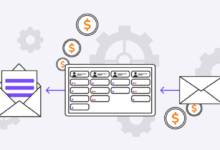
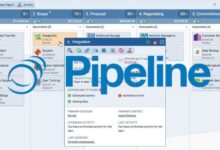
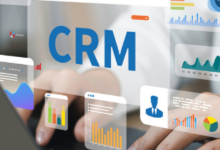
Free CRM software is a cost-effective solution for businesses looking to enhance their customer management processes without investing in expensive software. It offers basic features to manage customer information, track sales, and improve customer service.
Popular Free CRM Software Options
- HubSpot CRM: HubSpot offers a free CRM platform that allows businesses to organize and track customer interactions, manage sales pipelines, and analyze performance metrics.
- Zoho CRM: Zoho CRM provides a free version with lead management, contact management, and workflow automation tools to streamline sales processes.
- Freshworks CRM: Freshworks CRM offers a free plan with contact management, deal management, and email integration features to help businesses build stronger customer relationships.
Features of Free CRM Software
Free CRM software offers a range of essential features that can help businesses manage customer relationships effectively without incurring additional costs. Let’s explore some of the key features commonly found in free CRM software and how they compare to paid versions.
1. Contact Management
Contact management is a fundamental feature of CRM software, allowing businesses to store and organize customer information in one central database. Free CRM software typically offers basic contact management capabilities, such as storing customer details, communication history, and notes.
2. Lead Management
Free CRM software often includes lead management features that help businesses track and nurture potential customers. This feature allows users to capture leads, assign them to sales representatives, and track their progress through the sales pipeline.
3. Task and Calendar Management
Many free CRM software solutions come equipped with task and calendar management tools, allowing users to schedule appointments, set reminders, and track important deadlines. These features help businesses stay organized and ensure timely follow-ups with customers.
4. Reporting and Analytics
While free CRM software may have limitations compared to paid versions in terms of reporting and analytics, they still offer basic reporting capabilities. Users can generate standard reports on sales performance, customer interactions, and lead conversion rates to gain insights into their business operations.
5. Integration with Third-Party Apps
Free CRM software often supports integration with popular third-party applications, such as email marketing tools, social media platforms, and accounting software. This allows businesses to streamline their workflows and enhance the functionality of their CRM system.
6. Customization Options
Although free CRM software may have fewer customization options compared to paid versions, users can still personalize their CRM system to some extent. Customization features typically include adding custom fields, creating workflows, and defining user permissions.
Implementation of Free CRM Software
Implementing a free CRM software can greatly enhance the efficiency of your business operations. Below are the key steps for setting up the software, customizing it to meet your specific business needs, and best practices for successful implementation.
Setting Up Free CRM Software
- Choose the right free CRM software that aligns with your business requirements and goals.
- Sign up for an account on the CRM provider’s website and follow the onboarding instructions.
- Import your existing customer data into the CRM system to start building your database.
- Set up user permissions and access levels to ensure data security and privacy.
Customizing the Software to Suit Business Needs
- Define custom fields and tags to categorize leads, contacts, and opportunities based on your business processes.
- Create personalized email templates and automation workflows to streamline communication with customers.
- Integrate third-party apps and plugins to extend the functionality of the CRM software as needed.
- Configure dashboards and reports to track key performance metrics and gain insights into sales and marketing activities.
Best Practices for Successful Implementation
- Provide adequate training to your team members on how to use the CRM software effectively.
- Regularly update and maintain the CRM system to ensure data accuracy and relevance.
- Encourage collaboration and communication among team members by sharing information and insights through the CRM platform.
- Monitor user adoption and engagement with the software to identify areas for improvement and optimization.
Integrations with Free CRM Software
Integrating a free CRM software with other tools can enhance its functionality and provide a more seamless experience for users. By connecting CRM software with other tools, businesses can streamline their processes, improve productivity, and gain valuable insights into customer interactions.
Common Integrations Available for Free CRM Software
- Email Marketing Platforms: Integration with email marketing tools allows users to send targeted campaigns and track customer engagement directly from the CRM.
- Calendar and Scheduling Apps: Syncing calendars helps in managing appointments, tasks, and follow-ups efficiently within the CRM system.
- Accounting Software: Integration with accounting tools enables easy tracking of financial data and invoices related to customer interactions.
Benefits of Integrating CRM Software with Other Tools
- Improved Data Accuracy: Integrations ensure that information is automatically updated across all connected platforms, reducing manual errors.
- Enhanced Communication: Seamless integration allows for better communication between teams, leading to quicker response times and improved customer service.
- Efficient Workflow: Integrating CRM with other tools streamlines processes, eliminates duplicate data entry, and increases overall efficiency.
Examples of Tools that Can be Integrated with Free CRM Software
- MailChimp: For email marketing automation and campaign management.
- Google Calendar: To sync appointments and tasks with the CRM system.
- QuickBooks: For managing financial data and invoices within the CRM platform.
Limitations of Free CRM Software
While free CRM software offers many benefits, there are also some limitations that users should be aware of. Understanding these drawbacks can help you make informed decisions and effectively manage your customer relationships.
Lack of Advanced Features
Free CRM software often lacks advanced features that are essential for complex business operations. These may include automation tools, customization options, or in-depth reporting capabilities. As your business grows, you may find the need for these features to enhance efficiency and productivity.
Scalability Challenges
Free CRM software may not be easily scalable to accommodate the growing needs of your business. As the number of customers and interactions increases, you may encounter limitations in terms of data storage, user access, or overall system performance. It’s important to consider the scalability of the CRM solution to avoid disruptions in your operations.
Limited User Support
Free CRM software typically offers limited or no user support compared to paid options. This can be a challenge when you encounter technical issues, require assistance with customization, or need guidance on optimizing the software for your specific needs. Relying solely on community forums or self-help resources may not always provide timely and effective solutions.
Comparison of Free CRM Software Options
When it comes to choosing a free CRM software for your business, it’s essential to compare different options based on user reviews and ratings. Understanding the strengths and weaknesses of each software option can help you make an informed decision. Let’s explore the best free CRM software for specific business needs.
HubSpot CRM
HubSpot CRM is a popular choice among businesses for its user-friendly interface and robust features. It offers tools for contact management, email tracking, and pipeline management. However, some users find the reporting capabilities to be limited compared to other options.
Zoho CRM
Zoho CRM is known for its customization options and integration capabilities with other Zoho applications. Users appreciate its affordability and scalability. On the downside, some users have reported issues with customer support and occasional system glitches.
Bitrix24 offers a comprehensive suite of CRM tools, including project management and communication features. Users like its all-in-one approach, but some find the interface to be overwhelming and difficult to navigate.
Recommendation
Based on user reviews and ratings, HubSpot CRM is often recommended for businesses looking for a user-friendly CRM with a wide range of features. However, it’s essential to consider your specific business needs and preferences before choosing the best free CRM software for your company.
Data Security in Free CRM Software
When it comes to using free CRM software, ensuring the security of customer data is crucial. Let’s explore how these tools protect sensitive information and what measures can be taken to enhance data security.
Security Measures in Free CRM Software:
- Encryption: Free CRM software often utilizes encryption techniques to secure data both in transit and at rest. This ensures that information is protected from unauthorized access.
- Access Controls: These tools provide options to set user permissions and access levels, allowing organizations to control who can view, edit, or delete sensitive data.
- Regular Updates: Free CRM software providers frequently release updates to address security vulnerabilities and enhance protection against emerging threats.
Tips for Enhancing Data Security:
- Strong Passwords: Encourage users to create complex passwords and enable two-factor authentication for an added layer of security.
- Data Backup: Regularly back up CRM data to prevent loss in case of a breach or system failure.
- Employee Training: Educate staff members on data security best practices to reduce the risk of human error leading to security incidents.
Customization and Personalization in Free CRM Software
In free CRM software, customization and personalization play a crucial role in enhancing user experience and optimizing workflows. Users have the flexibility to tailor the interface, fields, and workflows to meet their specific needs, resulting in a more efficient and personalized CRM system.
Customizing Interface and Workflows
- Users can customize the layout of the CRM dashboard by rearranging modules, adding shortcuts, or changing color schemes to suit their preferences.
- Fields within the CRM can be personalized by adding custom fields relevant to the business, allowing for better organization and categorization of data.
- Workflow automation tools enable users to create personalized workflows that automate repetitive tasks, saving time and increasing productivity.
Importance of Personalization
- Personalization improves user engagement and adoption of the CRM system by making it more user-friendly and aligned with individual preferences.
- Customized interfaces and workflows enhance efficiency by providing quick access to relevant information and streamlining processes.
- Tailoring the CRM software to specific business needs ensures that it meets the unique requirements of the organization, leading to better outcomes and increased customer satisfaction.
Examples of Tailored Solutions
- A sales team can customize their CRM dashboard to prioritize leads, track sales activities, and generate reports tailored to their sales process.
- A customer support team can personalize their CRM with customer interaction history, ticketing systems, and automated responses for efficient customer service.
- Marketing teams can create personalized campaigns, track customer interactions, and analyze data to optimize marketing strategies using tailored CRM solutions.
Mobile Accessibility of Free CRM Software
Mobile Accessibility of Free CRM Software allows users to access their CRM data on-the-go through mobile apps, providing convenience and flexibility in managing customer relationships.
Availability of Mobile Apps
- Most free CRM software offer mobile apps for both iOS and Android devices, allowing users to access their CRM data anytime, anywhere.
- These mobile apps are usually designed with user-friendly interfaces, making it easy to view, update, and add information to the CRM system.
Benefits of Accessing CRM Data on Mobile Devices
- Increased productivity: Users can quickly respond to customer inquiries, update records, and access important data while on the move.
- Improved customer service: With instant access to customer information, users can provide personalized and timely responses to queries.
- Enhanced collaboration: Mobile accessibility allows team members to stay connected and share real-time updates, leading to better coordination and efficiency.
Tips for Optimizing CRM Usage on Smartphones and Tablets
- Customize your mobile CRM dashboard to display key metrics and reports that are most relevant to your role.
- Enable push notifications to receive alerts for important events, such as new leads or upcoming appointments.
- Regularly sync your mobile CRM app with the cloud to ensure that you have the latest data available offline.
Future Trends in Free CRM Software
In the rapidly evolving landscape of technology, the future of free CRM software holds exciting possibilities for businesses looking to streamline their customer relationship management processes. Advancements in technology are paving the way for innovative solutions that could potentially revolutionize the CRM software industry.
AI-Powered Automation
One of the key trends in free CRM software is the integration of artificial intelligence (AI) to automate repetitive tasks and provide valuable insights. AI-powered automation can help businesses save time and resources by handling routine customer interactions, data entry, and analysis.
Predictive Analytics
Another emerging trend is the use of predictive analytics in free CRM software. By analyzing large volumes of customer data, businesses can gain valuable insights into customer behavior, preferences, and trends. This enables businesses to anticipate customer needs and personalize their interactions for better engagement.
Omni-Channel Integration
With the increasing focus on providing seamless customer experiences across multiple channels, free CRM software is likely to incorporate omni-channel integration capabilities. This enables businesses to centralize customer interactions from various channels such as email, social media, phone calls, and live chat into a single platform for better communication and collaboration.
Blockchain Technology
Blockchain technology is also poised to make an impact on free CRM software by enhancing data security and transparency. By leveraging blockchain technology, businesses can ensure the integrity and privacy of customer data, thereby building trust and credibility with their customers.
Ending Remarks
From exploring key features to understanding data security protocols, this guide equips businesses with the knowledge needed to leverage free CRM software successfully. Stay ahead of the curve and optimize your customer relationships with these valuable insights.

Hi, I’m Lauren. As a digital enthusiast and storyteller, I love breaking down complex ideas into easy-to-read articles. My goal is to provide readers with fresh perspectives and helpful solutions through every piece I write.